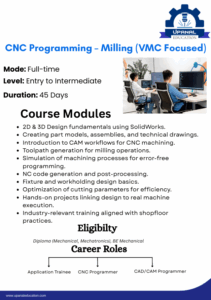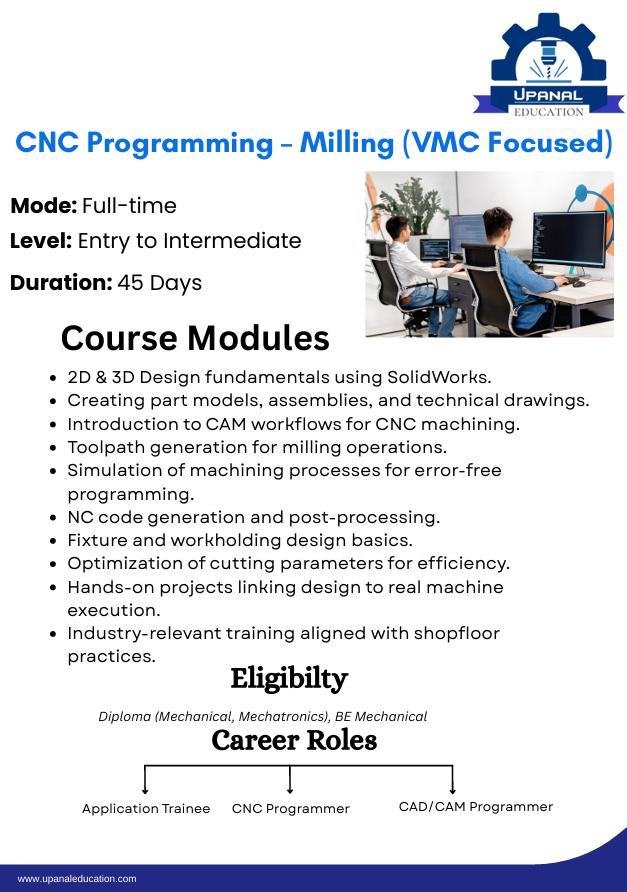
CAM (Computer-Aided Manufacturing) programming is an essential part of modern CNC machining. It converts a CAD model into machine instructions that CNC machines can understand. Therefore, CAM software helps manufacturers produce accurate components faster while reducing manual programming errors.
Today, industries use CAM programming to improve productivity, maintain high quality, and manufacture complex parts with greater precision. As a result, learning the CAM programming process is an important step for students, CNC programmers, and manufacturing professionals.
What is CAM Programming?
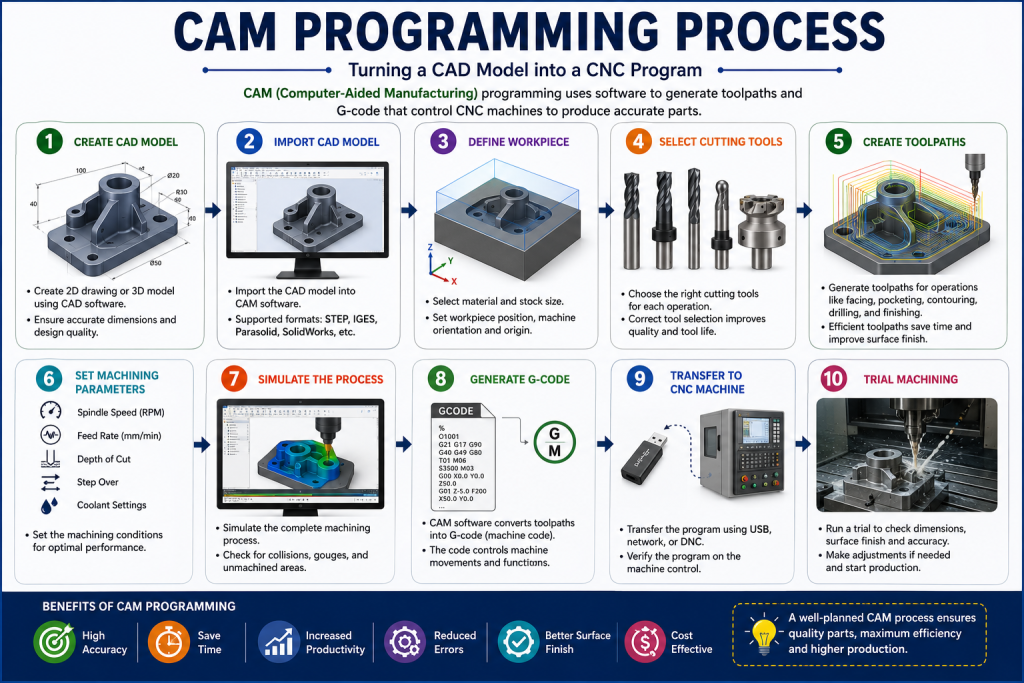
CAM programming is the process of creating CNC machining programs using CAM software. The software reads a CAD model, generates toolpaths, and converts them into G-code for CNC machines.
Unlike manual programming, CAM programming automates many machining tasks. Consequently, it saves time, improves accuracy, and increases production efficiency.
Step-by-Step CAM Programming Process
1. Create the CAD Model
The first step is to create a 2D drawing or a 3D model using CAD software such as SolidWorks, AutoCAD, CATIA, Fusion 360, or Creo.
A well-designed CAD model provides accurate dimensions for machining. Therefore, careful design work is essential before moving to CAM.
Benefits
- Accurate product design
- Easy model modification
- Better manufacturing planning
2. Import the CAD Model into CAM Software
After completing the design, import the CAD file into CAM software.
Most CAM software supports common file formats such as STEP, IGES, Parasolid, and SolidWorks files.
As a result, the design becomes ready for machining operations.
3. Define the Workpiece
The next step is to define the raw material or workpiece.
This includes selecting:
- Material type
- Workpiece dimensions
- Stock size
- Machine orientation
Proper workpiece setup improves machining accuracy and reduces unnecessary material removal.
4. Select Cutting Tools
Choose suitable cutting tools based on the machining operation.
For example:
- End Mills
- Face Mills
- Drill Bits
- Ball Nose Cutters
- Chamfer Tools
Selecting the correct tool improves machining quality and extends tool life.
5. Create Toolpaths
Toolpaths define how the cutting tool moves during machining.
CAM software automatically generates efficient toolpaths based on the CAD model.
Common machining operations include:
- Facing
- Pocket Milling
- Contour Milling
- Drilling
- Finishing
Therefore, accurate toolpaths reduce machining time and improve surface finish.
6. Set Machining Parameters
The programmer must define machining parameters before generating the CNC program.
These parameters include:
- Spindle Speed (RPM)
- Feed Rate
- Depth of Cut
- Step Over
- Coolant Settings
Correct parameter selection improves machining performance and prevents tool damage.
7. Simulate the Machining Process
Simulation is one of the most important stages of CAM programming.
The software checks the complete machining process before production begins.
Consequently, programmers can identify problems such as:
- Tool collisions
- Incorrect toolpaths
- Overcutting
- Unmachined areas
Simulation reduces costly mistakes and increases operator confidence.
8. Generate G-Code
Once the simulation is complete, CAM software converts the toolpaths into CNC machine code.
This machine code contains G-codes and M-codes that control machining operations.
As a result, the CNC machine receives accurate machining instructions.
9. Transfer the Program to the CNC Machine
After generating the program, transfer it to the CNC machine using:
- USB Drive
- Network Connection
- DNC System
Next, verify the program on the machine before starting production.
10. Perform Trial Machining
Before full-scale production, perform a trial run using the generated program.
Check:
- Dimensions
- Surface Finish
- Tool Movement
- Program Accuracy
If necessary, make corrections and update the program.
Advantages of CAM Programming
CAM programming offers many advantages over manual programming.
Key Benefits
- Faster program creation
- Higher machining accuracy
- Reduced programming errors
- Better surface finish
- Shorter production time
- Efficient toolpath generation
- Improved productivity
- Easy modification of machining programs
Applications of CAM Programming
CAM programming is widely used across different manufacturing industries.
Common Applications
- Automotive Components
- Aerospace Parts
- Mold and Die Manufacturing
- Medical Devices
- Industrial Machinery
- Tool Room Manufacturing
- Precision Engineering
Why Students Should Learn CAM Programming
CAM programming is one of the most valuable skills in the manufacturing industry.
Moreover, companies prefer candidates who understand CAD, CAM, and CNC machining.
Learning CAM programming helps students:
- Build practical manufacturing skills
- Improve job opportunities
- Work on advanced CNC machines
- Develop strong technical knowledge
Therefore, CAM programming is an excellent career skill for ITI, Diploma, and Mechanical Engineering students.
Future Scope of CAM Programming
The future of CAM programming is bright because manufacturing industries continue to adopt automation and smart technologies.
Furthermore, Artificial Intelligence (AI), Industry 4.0, digital twins, and robotic machining are expanding the role of CAM software.
Professionals with CAM programming skills will remain in high demand for years to come.
Conclusion
CAM programming plays a vital role in modern CNC machining. It converts CAD models into accurate machining programs, reduces errors, improves productivity, and supports complex manufacturing operations.
Therefore, students and professionals should learn the complete CAM programming process to build successful careers in manufacturing and CNC technology.